Gaming Room Lighting: How to Get the Vibe Without the Eye Strain
Full rainbow RGB looks great in photos and tires your eyes in real life. Bias lighting, warm ambient light and one accent color make a better gaming room. Here's the setup.
Where to get it
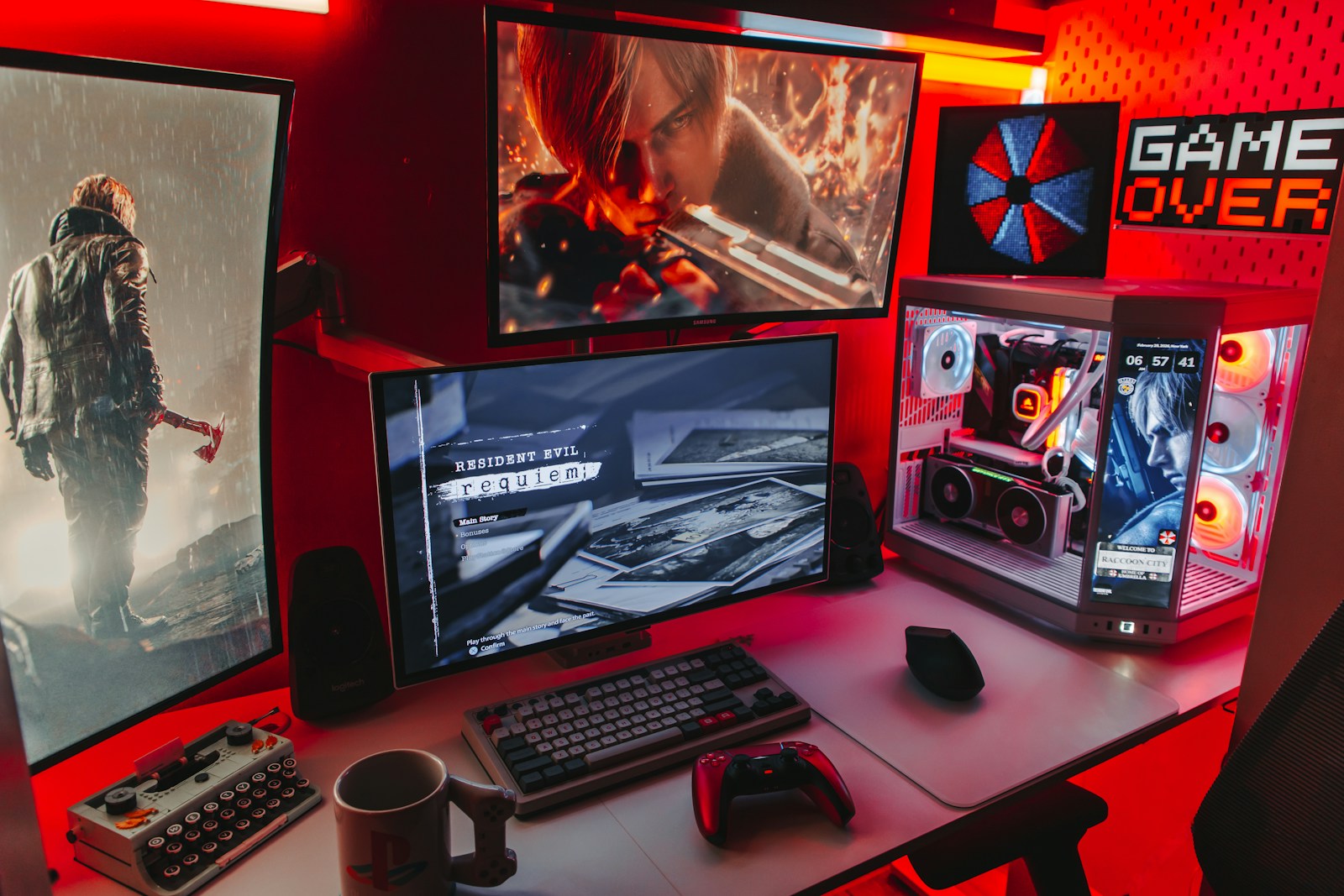
I've lit my gaming room every way possible. Full rainbow RGB cycling on every surface. Total darkness with just the screen. A single desk lamp. The setup I ended up with is calmer, cheaper and much easier on the eyes. Here's how to build it.
Step 1: Bias lighting behind the screen
This is the most important light in the room. A soft LED strip on the back of your monitor or TV lights the wall behind it. Your eyes don't have to adjust between a bright screen and a pitch-black room, which reduces eye strain on long sessions. It also makes dark scenes look better because the contrast feels more natural.
Use neutral or warm white for this, not a bright color. Keep it dim. It's background light, not a show.
Step 2: One warm ambient light
A floor lamp or a dimmable bulb in the corner, set warm, keeps the room from feeling like a cave. I keep mine at about 20 percent brightness while gaming.
Step 3: Accent color, singular
Pick one or two colors that match your setup and use them in one place: under the desk, behind shelves, or around a display cabinet for figures. Restraint looks more expensive than rainbow chaos. Every photo of a great-looking setup online follows this rule, even if it doesn't look like it.
Avoid glare
Never put bright lights in front of your screen or where they reflect on it. Check by turning your monitor off and looking for reflections. If you see a light, move it.
Smart lights: worth it?
Smart bulbs and strips let you switch scenes from your phone: a dim gaming mode, a brighter cleaning mode, a movie mode. If you'll actually use scenes, they're worth it. If you'll set one color and forget, buy basic strips and save the money.
Install tips
- Clean surfaces with rubbing alcohol before sticking LED strips. Otherwise they fall off within a week.
- Use extra adhesive clips at corners.
- Measure before buying. Running out three inches short is maddening.
Safety
Buy strips with proper power adapters from known brands. Cheap no-name strips can run hot. Don't run them under rugs or behind bedding.
Where to buy
Amazon has the widest range of LED strips, smart bulbs and bias lighting kits. Target and Walmart carry affordable smart lights and lamps, often discounted in home sales. GameStop stocks some gaming-themed light panels and accessories.
Verdict
Bias light behind the screen, one warm lamp, one accent color. That's it. Your room looks better and your eyes stop hating you after midnight.
Where to get it
More for your wishlist
Gaming Chair or Office Chair? My Back Picked the Boring One
I bought a racing-style gaming chair because it looked cool. Two years later I switched to a mesh office chair. Here's what matters for long sessions and how to choose either one well.